NATIVE IPHONE CHAT FOR HERMES
Mira
A chat-first iPhone app for Hermes.
Keep your personal Hermes assistant close in a native iPhone chat app. Start a conversation, read replies, share context and continue where you left off. Type naturally, with voice input whenever it helps.
In development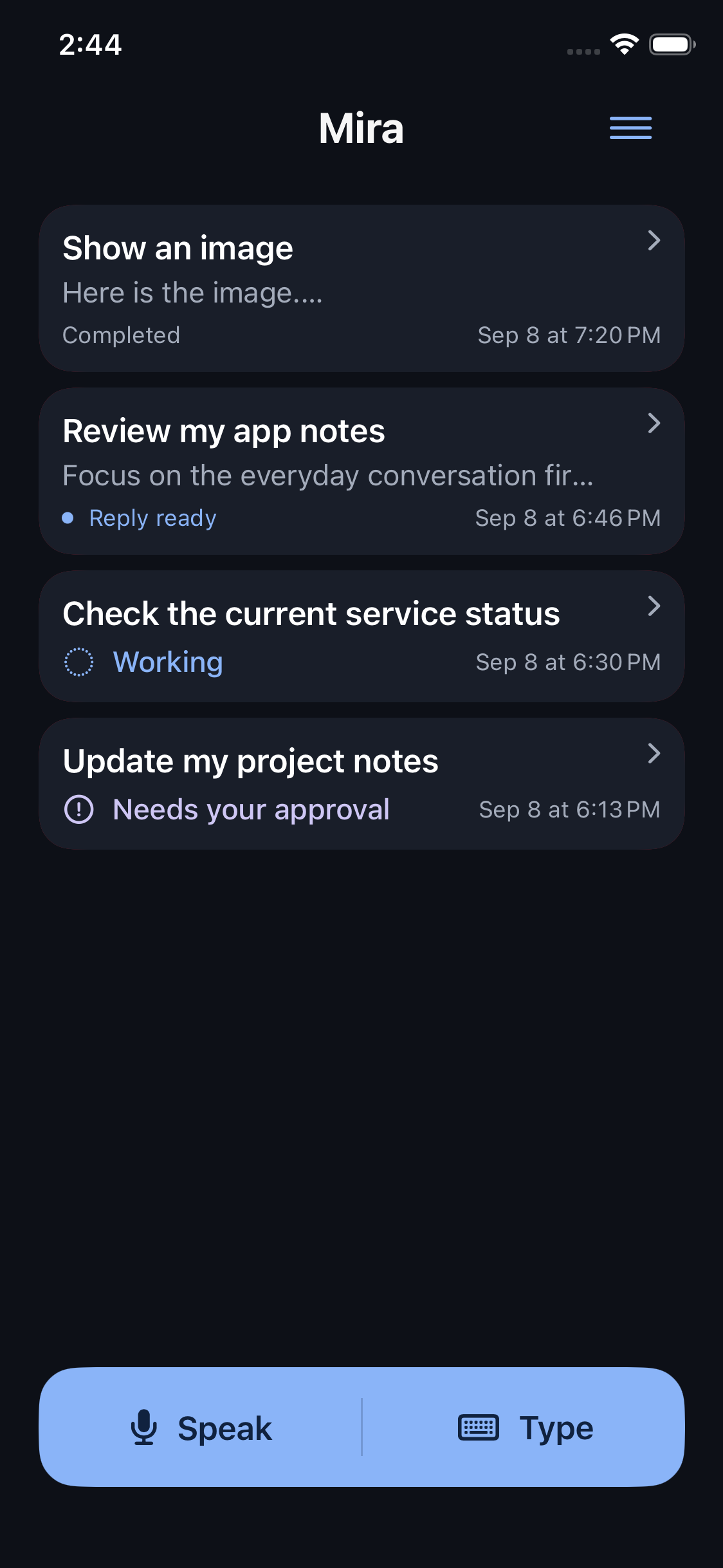
Chat with Hermes, on your iPhone
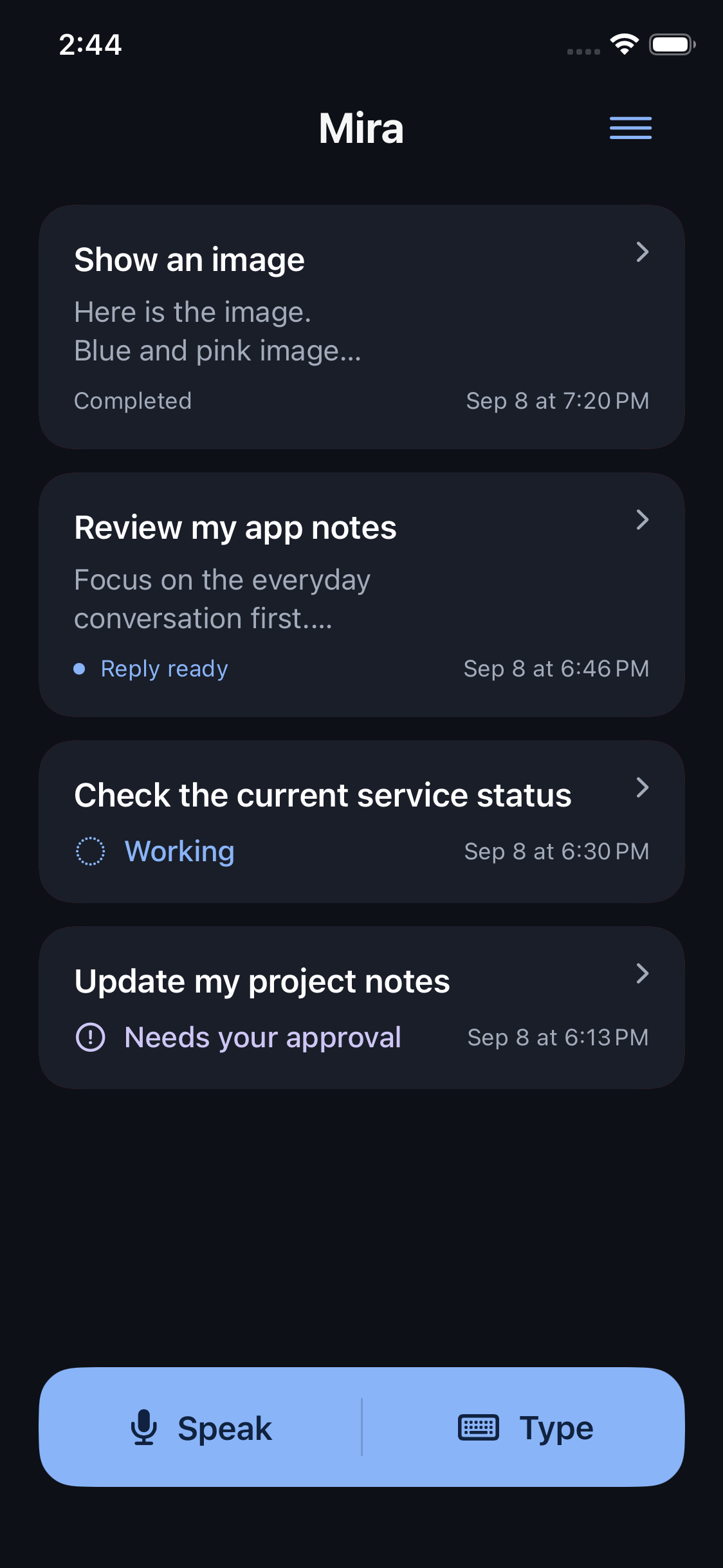
Mira brings your personal Hermes assistant into a native iPhone conversation interface. Start a chat, return to an earlier exchange, and send a follow-up in the same conversation. Request status helps distinguish work in progress, a reply ready to read, and a request that needs your attention.
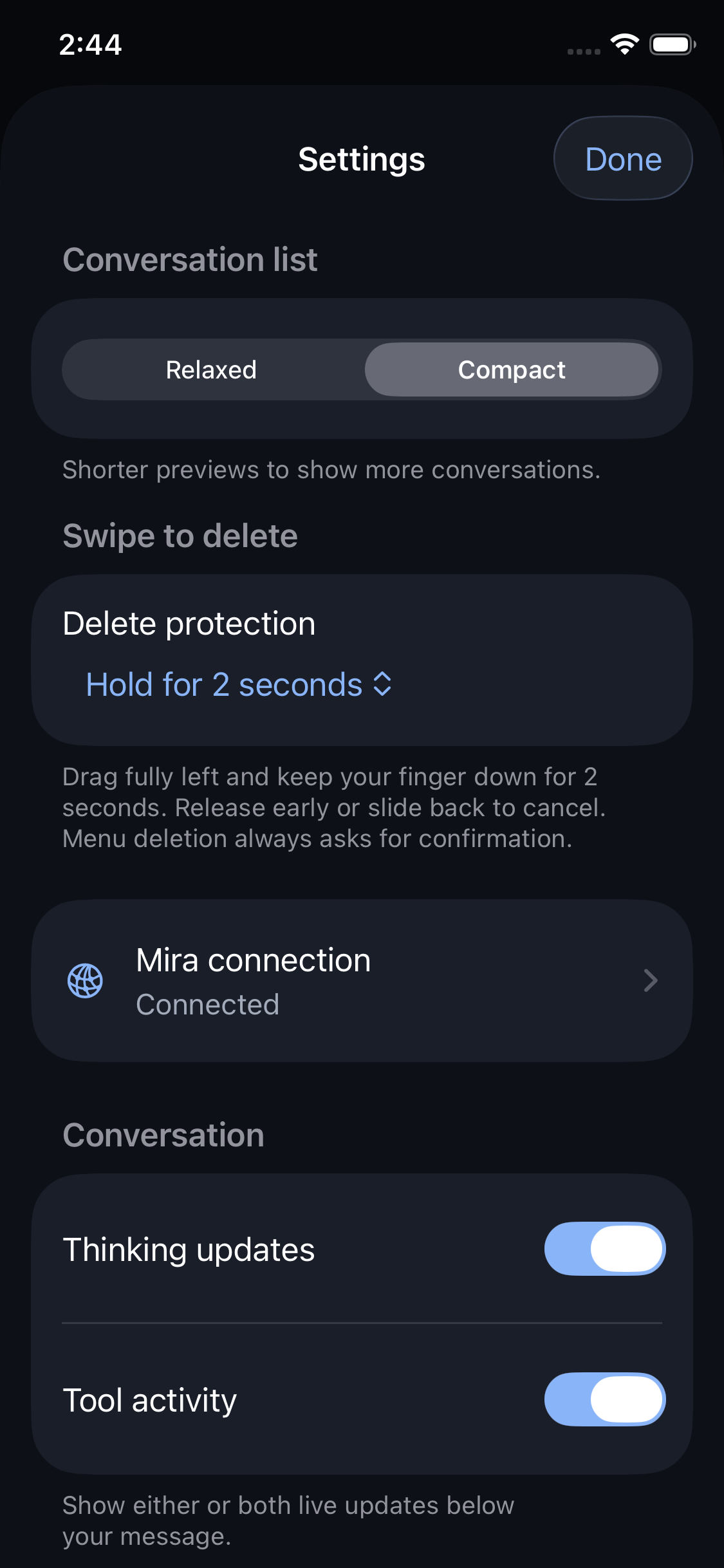
Choose Compact previews to fit more conversations on screen, or Relaxed previews for more context. Pull down to refresh history, or use Refresh history in the corner menu. Build 21 improves the short pull gesture and waits for a history update already in progress.
- Read comfortably. Return to your reading position, jump to a new reply, and use a reply's press-and-hold menu to copy, select text, read aloud or inspect activity.
- Add context. Attach a camera photo, a selected image, a PDF or a plain text file. A request can contain an attachment without a written message.
- Work with replies. Open images for a closer look, zoom, save or share them. Supported web links, email addresses and telephone numbers are tappable.
- Choose your input. Type with the keyboard, or dictate and review the result. Natural pauses keep earlier phrases; Continue dictation appends to your edited message. Send is an explicit action.
- Follow progress. A compact activity indicator sits within the conversation. Open the activity view for more detail; settings control thinking updates and tool activity.
A look inside Mira
These are unaltered captures of the native build 20 interface using the app's built-in sample conversations. They show the conversation layouts retained in the build 21 source; they are not a capture of build 21.
Requirements and getting started
The current development target is an iPhone running iOS 26 or later. Mira requires a configured Hermes companion service and a paired device. It does not include a hosted AI account, and it is not a general client for every AI provider.
- Use the development build and pairing instructions supplied for your Hermes installation.
- Check the connection in Settings before starting a chat.
- Choose Type, enter a short request and send it. Return to the conversation to read the reply.
- Try attachments or dictation when needed. Microphone and speech permissions are needed for spoken input.
Replies are silent by default. Read aloud depends on an available downloaded Apple Premium or Enhanced voice in the current language. Public onboarding and distribution are still in development.
Common questions
Is Mira a separate AI service?
No. Mira is the iPhone chat companion; your configured Hermes service handles requests. The assistant's available tools and capabilities depend on that installation.
Does voice input send immediately?
No. In the app, dictation becomes editable text. Review it, change it or continue dictating, then choose Send. Closing the composer or backgrounding the app clears unsent text.
Can I leave while Hermes is working?
Submitted requests remain with the companion service while Mira is closed. Reopen the conversation to check for a reply. Native push notifications are not available in the current configuration.
Does deleting a conversation erase everything Hermes did?
No. Conversation deletion removes it from the mobile view; it does not undo completed actions or erase the Hermes server's history. Settings provide confirmation or hold protection for swipe deletion.
Can I download Mira today?
No public download is announced here. This page describes the development app, not an App Store release.
Questions or feedback?
Tell us what you are trying to do, what happened, or what you would like to see. If you are reporting a problem, include your device and app version.
Visit Mira support